
Daily Planner Templates for Students: Free Printables and Digital Picks That Actually Work

Do you ever feel like there’s just not enough time in the day? I’ve been there too,rushing between school, assignments, part-time jobs, and that one friend who always calls during your study sessions. Staying organized as a student is hard, especially when every day looks different. That’s where a solid daily planner comes in,not a boring, generic one, but something made for how you think, study, and plan.
The problem? Most planner templates out there are either too cluttered or way too basic. I’ve downloaded dozens. Some had no room for notes. Others were so packed I felt more overwhelmed just looking at them. And don’t get me started on ones that don’t even leave space for breaks.
So I started building a system,one that works for students who actually live busy, messy, real lives. Below, you’ll meet the best templates I’ve tested (both printable and digital), how they helped me manage my chaos, and how you can start using them in less than 5 minutes.
- Why daily planning matters more than you think (and how it saved my GPA)
- Top free and editable student planner templates (print and digital)
- How to pick the right planner for your style, age, or school level
- My favorite bonus tricks: Pomodoro, time-blocking, daily reflections
If you want to feel less stressed, more in control, and have space to breathe,this guide is for you.
Why I Started Using a Student Daily Planner (And Why You Probably Should Too)
I used to rely on sticky notes. I had a yellow one on my laptop, a blue one in my wallet, even one stuck inside my pencil case. I thought I was “organized.” Until I missed a deadline. Then another. That’s when I realized I wasn’t managing time,I was dodging it.
Using a planner changed everything. Not overnight. But within a week, I stopped forgetting due dates. I started seeing my days instead of reacting to them.
Here’s what I’ve noticed since switching:
- I sleep better because I’m not lying awake remembering things I forgot to do
- I finally started breaking big tasks into smaller chunks without the panic
- I stopped over-scheduling myself (hello burnout) and started saying “no” when my days were full
Honestly, I feel like I bought time. That’s how good the right template can be.
If you’re just getting started with structure, pairing a planner with foundational time management techniques is a great way to build habits that stick.
Types of Student Planner Templates That Actually Work
Not all planners are created equal. Some look pretty but lack space for what matters. Others are functional but dry as cardboard. These are the ones that gave me structure and room to breathe.
Printable Templates (Simple, Straightforward, Reliable)
These are perfect if you like putting pen to paper. I use these when I want less screen time or need something to pin above my desk. They’re clean, free, and easy to print anytime.
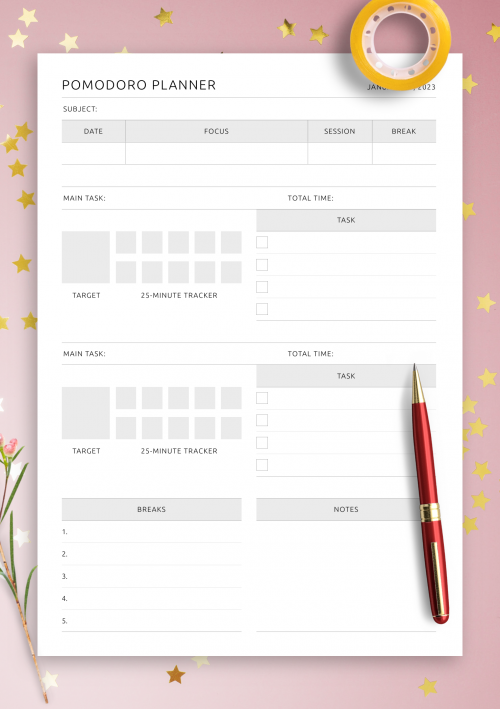
This one helped me learn the Pomodoro technique,25-minute focused work sessions with 5-minute breaks. It made studying for finals a LOT less painful.
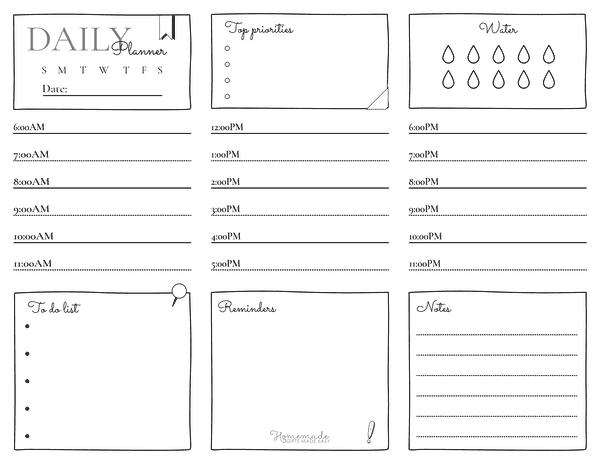
Here’s one I used during midterms. It’s hand-drawn, so it feels personal, almost like a doodle journal. Bonus: There’s space for affirmations and mood tracking too.
Editable Digital Templates (Customizable and Clickable)
If you prefer Google Docs, Canva, or Notion, these digital templates let you type, drag, color-code, and organize without printing anything. I like these for school projects or weekly reviews.
Want to pair your digital planner with tools that keep you focused? Check out these digital tools for studying that work great alongside daily templates.
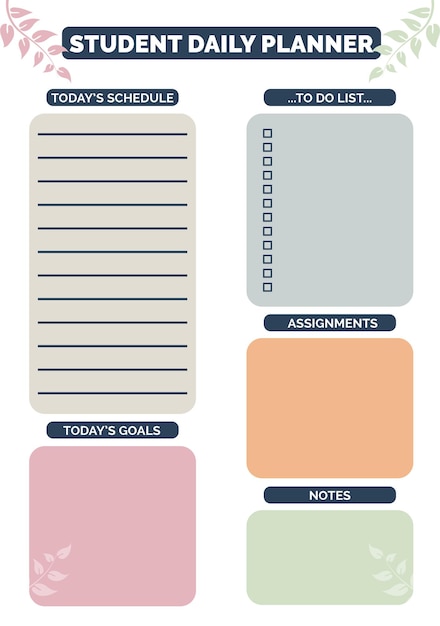
Notice the layout? Clean time slots, priority tasks, hydration tracker (yes, water matters), and a big space for notes or reminders. I used this one to plan group assignments and it kept everything visible.
This colorful one’s more for younger students or visual learners. I used it to help my little cousin organize his homeschool schedule,and he actually liked it. Said it felt like a game board.
How to Choose the Right Planner for You
Here’s the thing. Your planner has to match your personality. I made the mistake of downloading the “most recommended” one. It didn’t work for me. Why? It was packed with sections I didn’t use, and no room for the stuff I needed.
Knowing your planning style is a lot like identifying your learning preferences. Students who understand their learning style often select tools,including planners,that fit their needs better and improve their academic performance.
So here’s how I started picking smarter:
Know Your Planning Style
If you’re more visual, go with planners that have icons, colors, or space to draw. If you love lists, find ones with clear task sections. If you’re juggling lots of moving parts, hourly breakdowns are key.
Match Format to Your Life
I use printables during exams (because my brain wants less screen), and digital templates during the semester for recurring stuff like class schedules and meetings. Flexibility matters.
Consider Age and Focus Needs
Younger students tend to benefit from more visual structure. High school or college students might want templates with priority tracking, note sections, and habit-building cues.
Comparison Table: Which Planner Fits You?
| Template Type | Best For | Features | Platform |
|---|---|---|---|
| Printable PDF (Pomodoro) | Focused study sessions | 25-min timers, breaks, task list | OnPlanners |
| Editable Canva Templates | Custom designs | Drag-and-drop blocks, icons | Canva |
| Student Visual Template | Kids & visual learners | Color codes, drawing space | |
| Google Docs Planner | Typing + cloud saving | Editable tables, auto save | TheGoodocs |
Top Free Templates Worth Downloading
I’ve bookmarked more templates than I can count, but only a few made it into my actual daily routine. These are the ones I keep returning to,because they work, not because they’re flashy.
From gratitude journals to Pomodoro-focused layouts, these templates do more than just track tasks,they help build productivity habits. For a more strategic approach to planning your day, try aligning these tools with productivity techniques for students that focus on time usage and habit-building.
MaplePlanners Daily Study Planner
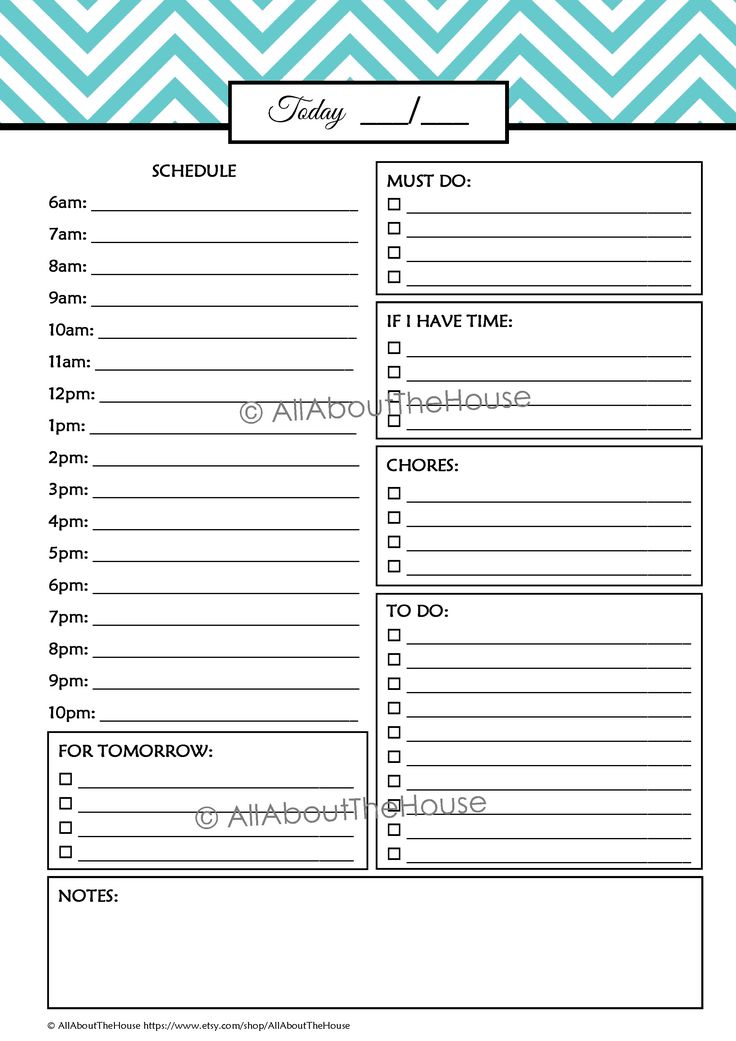
This one comes with an hourly schedule from 6am to 10pm, a prioritized task list, and a section for notes. I used it during finals week last semester,it helped me budget time for study blocks, meals, and even sleep. You can download it here for free.
101Planners Gratitude & Wellness Template
This version does more than just track tasks. There’s a water intake tracker, daily affirmations, a mini gratitude log, and even an exercise goal. It’s great if you’re trying to build better habits while keeping on top of schoolwork. Find it here.
Shining Mom’s Visual Student Planner
Designed with younger students in mind, this template is bright, fun, and has space for both academics and creative reflection. I printed it for my niece and watched her actually enjoy filling it out each day. That’s saying something.
Bonus Techniques That Help You Get More From Any Planner
Templates are only half the story. How you use them matters even more. I’ve tested different time management tricks to pair with planners,and here’s what stuck.
Time-Blocking
I started doing this when my workload became too unpredictable. You assign blocks of time to focus on different types of work,homework, group projects, breaks, errands. It helps avoid mental multitasking and gives you control over chaotic days. I explain it like color-coding your energy. You can learn more about it here.
Pomodoro Sessions
This one’s my go-to for deep work. You set a timer for 25 minutes, focus on one thing only, then take a 5-minute break. After four rounds, you take a longer break. I use this with the Pomodoro planner template, and it’s helped me finish big papers without burning out.
End-of-Day Reflections
Every night, I write one sentence about what went well and what I’ll change tomorrow. That’s it. But it’s helped me identify patterns,like how I always underestimate how long essays take or how I forget to drink water during study marathons. Some templates already include this. If not, add a notes section.
My Favorite Ways to Personalize a Digital Template
One thing the other guides didn’t really cover? How to make a planner feel like yours. Here’s what I do:
- Add custom icons in Canva to represent different subjects (books for English, calculator for Math)
- Include a “3 wins” section every day,tiny things I did right
- Color code by class or priority level,red for urgent, green for relaxing tasks
You can start with a simple Google Docs planner from TheGoodocs or even Notion templates if you want everything digital.
Using planners also supports memory reinforcement. If you’re someone who writes things down to remember them better, you might also benefit from memory and retention strategies that complement your planning process with recall-boosting techniques.
FAQ
What is the difference between undated and dated templates?
Dated templates are tied to specific days and months, so they help you stay on a calendar rhythm. Undated ones let you start anytime and skip days without wasting pages. I use undated when I want less pressure and more flexibility.
Can I use a digital planner on paper?
Yes! I’ve downloaded PDF digital planners, then printed them out to handwrite. It gives you the structure of a digital layout with the tactile feel of writing things down. Great combo if you’re in between styles.
How often should I review and update my planner?
I do a quick update every night, then a longer review on Sundays. That helps me prep for the week without feeling rushed Monday morning. Even 5 minutes a day makes a big difference.
What I Learned (And What You Can Take Away)
So here’s the real deal. Planning doesn’t fix everything. But it gives you space,to breathe, to catch up, and to move through your day with more purpose. That’s what happened for me when I started using daily templates built for students, not CEOs or social media influencers.
We covered:
- Why planners matter when your life’s a balancing act
- Top printable and editable templates that are actually helpful
- Productivity methods like Pomodoro and time-blocking that add structure
- Tips for personalizing your planner so you’ll actually use it
If you’ve ever said, “I just need a better system,” this might be it. Not perfect. But real. If I can stick with it through finals, you can start it today,just pick a template that feels right and start with tomorrow.
very nice publish, i definitely love this website, keep on it