How to Handle Unplanned Disruptions at Work

I’ve been there you’re in the middle of a calm, productive week, and then BAM something unexpected hits. A server crashes, your best supplier flakes, or that “quick task” turns into a five-alarm fire. Whatever form it takes, unplanned disruptions are stressful, chaotic, and all too common.
The problem is, most teams treat these moments like one-off emergencies. But what if they weren’t? What if you treated unplanned work like part of your system, not the enemy?
That’s exactly what changed the game for my operations team last year. We went from flailing during disruptions to flowing through them with calm, even when things got wild. And here’s the truth it all starts with solid time management for students principles that work just as well for professionals.
In this guide, I’m walking you through the stuff I wish someone had told me sooner:
- How to spot the real causes behind unexpected disruptions
- Simple tools to get ahead of chaos before it hits
- Why clear escalation paths matter more than you think
- Agile ways to adapt fast without burning out
- How we use our post-disruption notes to build better systems
This is for you if your team’s ever scrambled during downtime, or if you’ve sat in a meeting thinking, “Why are we STILL firefighting the same stuff?” What follows isn’t theory it’s tested in the trenches.
Understanding the Nature of Unplanned Disruptions
Root Causes and Impacts
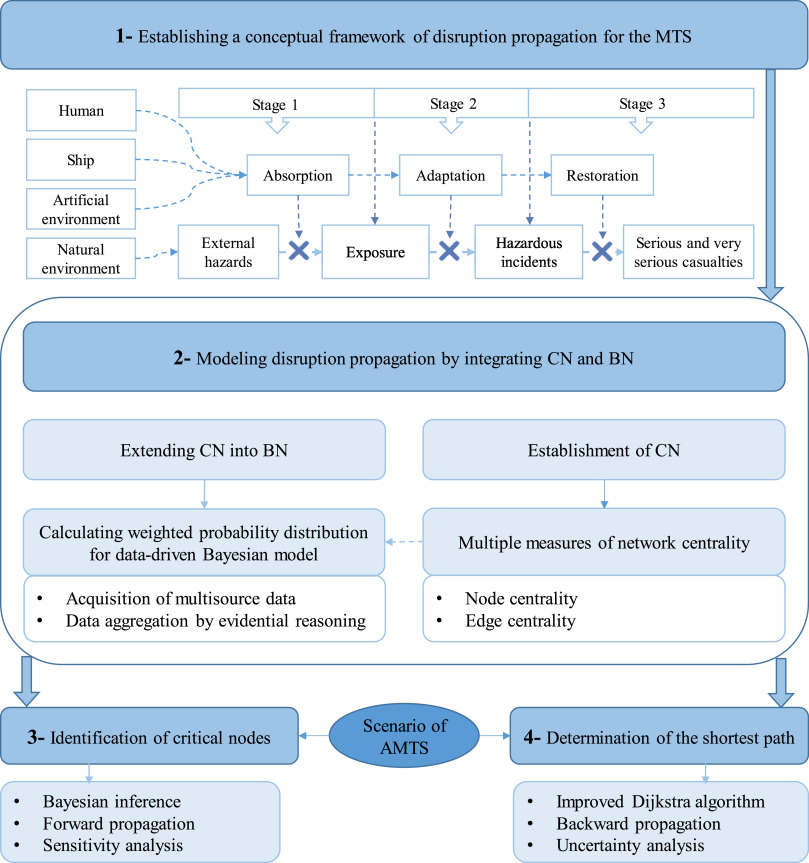
So here’s what I’ve noticed over time: unplanned disruptions rarely come out of nowhere. They feel sudden, but they usually come from weak signals we ignored. That could be anything from outdated hardware, misaligned teams, or just too many tasks in motion without slack.
I used to think only outages and tech crashes counted as disruptions. But actually, even things like an unexpected client request or sudden employee resignation can throw a wrench in operations. What they all share? They weren’t in the plan.
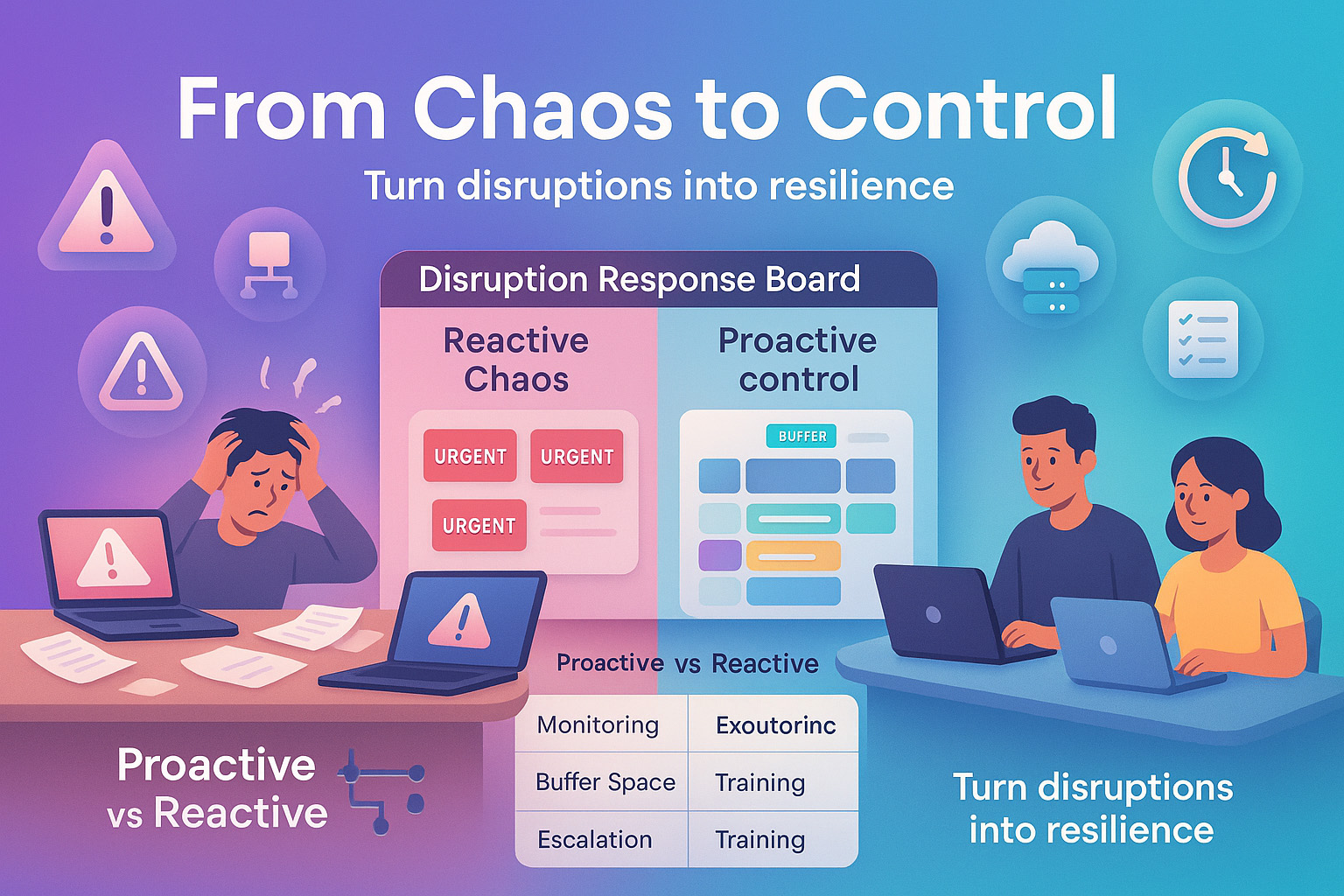
Proactive vs. Reactive Management
When we worked purely in reactive mode, every fire felt personal. And exhausting. We were always on edge, never in control. Switching to a proactive + reactive mix changed everything. It gave us room to breathe, room to plan, and room to recover.
And I get it being “proactive” sounds like another buzzword. But trust me, it’s as simple as spotting weak points early, using smarter monitoring, and leaving buffer space in your day. Not sexy. Super effective.
Proactive Monitoring and Prevention Strategies
Tools and Technologies for Real-Time Monitoring
We started using Netdata for real-time server monitoring. That alone gave us so much visibility. We saw failure patterns before they spiraled. If you’re in IT, that kind of insight is pure gold.
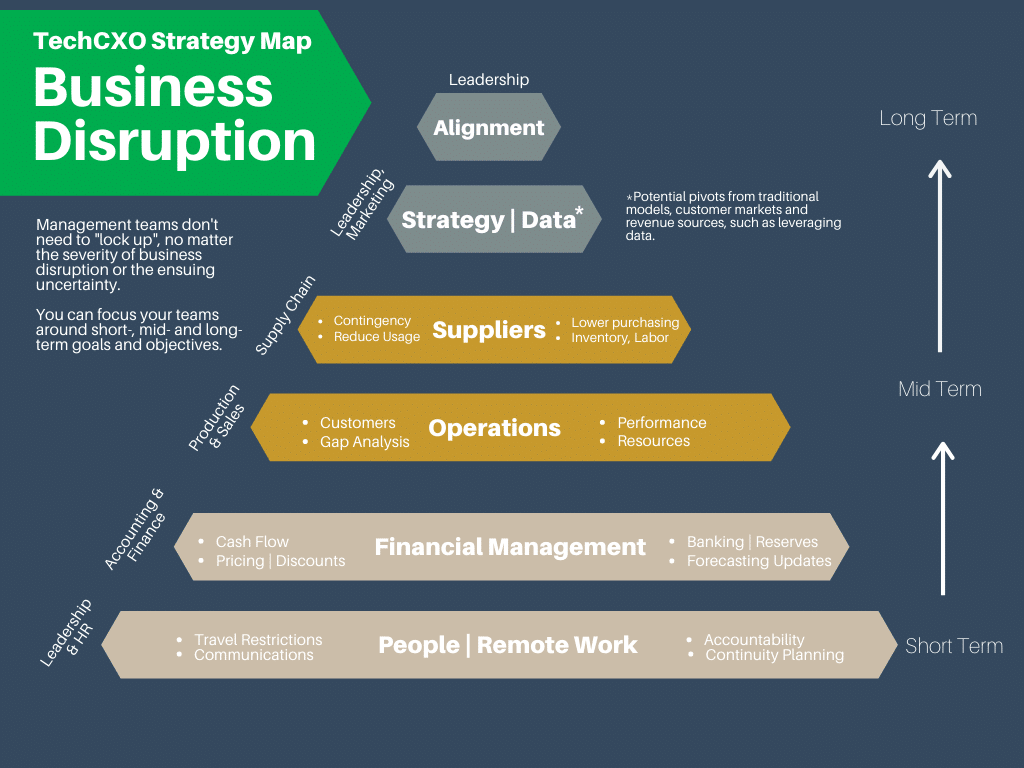
Tools like Netdata, New Relic, or Prometheus help with alerts, thresholds, and even recommendations. Without them? You’re guessing. And guessing under pressure is risky.
Preventive Maintenance and Automation
I can’t count how many times automation saved us when things got messy. Self-healing scripts restarted services. Automated backups restored corrupted data. And predictive maintenance, especially for physical equipment, kept costly downtime away.
If you’re still manually checking logs or doing one-off maintenance, please pause. It’s not scalable. We now schedule health checks like we schedule meetings non-negotiable.
Redundancy and Failover Systems
When our primary email server failed last year, we thought the day was doomed. But our failover kicked in instantly. Barely a hiccup. That wasn’t luck that was good planning.
Redundancy might seem like overkill when things are smooth. But when disruptions hit? It’s the lifeboat. Dual systems, mirrored databases, cloud replicas they’re worth every penny when the alternative is losing data or clients.
Disruption Management and Escalation Plans
Building a Clear Escalation Path
One of the biggest friction points in past disruptions? Confusion. Who owns the issue? Who needs to know? What’s the cutoff for bringing in the big guns?
We fixed that by writing a simple escalation plan. It includes decision trees, contact lists, and role responsibilities. No one guesses anymore. We even printed it and stuck it in our team’s Slack channel for fast access.
Post-Incident Documentation and Analysis
After each disruption, we run a retro a short meeting to unpack what happened. Not just who fixed it, but how it could’ve been spotted sooner, and what patterns we missed.
We use this data to tweak our systems. Some companies call it “continuous improvement.” I call it “learning not to make the same mistake twice.”
Agile Work Planning and Prioritization
Triage and Buffer Time
Ever felt like you had too much work and not enough time? Same. But then we started planning for unplanned work. Sounds backward, right?
We added buffer blocks into our weekly sprint plans. That gave us space to breathe and react without sacrificing everything else. It made interruptions… feel normal.
Limiting Work in Progress (WIP)
This one hit home after we read about WIP limits. We had way too many open tasks. No wonder every interruption caused panic.
Now, we cap tasks in progress. When something urgent pops up, we pause the lowest-priority task. Sounds rigid, but it gave our team flexibility without overload.
Training, Communication, and Team Agility
Cultivating an Adaptive Mindset
We started weekly mini-trainings short 20-minute sessions on things like incident response, triaging tasks, or even stress management. They weren’t just about skills they were about mindset. Agility isn’t a framework it’s a habit.
We stopped expecting perfect conditions. Instead, we practiced adapting. One week we did a “mock outage” drill. It felt silly. Then the real one hit. And we handled it like pros.
Real-Time Communication Tools
Slack, Notion, Jira whatever tool you use, use it live. When a disruption hits, email threads are way too slow. We created a #fire channel for fast issues, and made sure every teammate knew the protocol.
It’s not about fancy tools. It’s about fast access, shared understanding, and no bottlenecks.
| Strategy | Proactive Benefit | Reactive Impact |
|---|---|---|
| Real-time Monitoring | Detects issues early | Reduces detection delay |
| Escalation Plans | Quick role-based responses | Prevents decision paralysis |
| WIP Limits | Protects team bandwidth | Improves flexibility |
| Training & Mock Drills | Boosts confidence | Reduces chaos during real issues |
Learning from Disruptions and Continuous Improvement
Retrospectives That Actually Help
We used to do “post-mortems” just to check a box. But they felt like blame games awkward and stiff. So we shifted the language and made it safe. Now we call them retrospectives, and the vibe’s different. It’s about learning, not blaming.
We always ask: What happened? What did we do well? What should we do next time? Sometimes we write it up in a shared doc, sometimes it’s a voice memo. Either way, it’s gold for building better systems.
And you know what surprised me? The more honest we got, the fewer repeats we saw. Disruptions became our teacher, not our enemy.
Adapting the Playbook
After each disruption, we update our protocols. Tiny changes like tweaking alert thresholds, or adding steps to the escalation doc make a big difference later. It’s like muscle memory. The more we refine, the more confident we get when things go sideways.
FAQ
What qualifies as an unplanned disruption?
An unplanned disruption is anything that throws off your team’s normal workflow without warning. That could be technical failures, urgent client requests, system outages, or even sudden absences. The key is they weren’t expected and they demand attention right away.
How can I prioritize unplanned work during a sprint?
I like using triage. When something unplanned pops up, we pause and ask three things: Is it urgent? Is it important? Can it wait? We weigh it against what’s already in our sprint. If needed, we reshuffle but always with team input. Transparency matters.
What’s the difference between triage and escalation?
Triage is how you decide what to work on first when multiple things are competing. Escalation is when you realize a problem’s too big for your level, and you raise it to someone else. Triage is prioritizing; escalation is delegating up.
Recap of Key Points
We’ve talked through a lot, but here’s what sticks with me most. Disruptions are unavoidable but chaos isn’t. You can build systems, habits, and tools that turn messy moments into manageable ones.
Use real-time monitoring. Document your escalation plans. Build in buffer time. Talk to your team, a lot. And after it’s all over, take a breath and take notes.
Final Takeaway
The goal isn’t perfection. It’s resilience. If you walk away with one thing, let it be this: unplanned work isn’t failure it’s feedback. Your systems just told you where they need love. Listen, adjust, and grow stronger with every curveball.
Closing Thought
I never thought I’d say this, but disruptions don’t scare me anymore. Not because they stopped happening, but because we finally learned how to roll with them. You can too. Just start small, stay consistent, and keep learning with your team.