
Using Calendar Apps for Academic Planning

Back in college, I used to scramble between lecture halls, deadlines, and study groups , juggling it all in my head. Spoiler: it didn’t work. I’d miss quiz dates, show up late to meetings, and pull all-nighters because I’d forgotten about an essay due the next morning. That changed the day I started using a calendar app. It wasn’t just a digital planner , it became my academic brain.
The truth is, school can feel chaotic when you’re flying blind. If you’ve ever stared blankly at your syllabus wondering where to even begin planning your week, you’re not alone. Academic pressure isn’t just about grades , it’s about time. And when time’s slipping through your fingers, burnout isn’t far behind.
So here’s the deal: a calendar app can keep your schedule, reminders, projects, and sanity , all in one spot. And yes, it actually works. I’ve lived it. And below, I’m going to show you how you can make it work too.
- Why structured planning can ease stress
- The top student-friendly calendar tools (with real comparisons)
- How to pick the right one based on how YOU learn
- Hidden tricks to make your calendar your second brain
If you’re serious about staying organized, reducing anxiety, and actually enjoying school again, this one’s for you.
Why Academic Planning Matters for Students
I used to believe I could wing it , that a mental checklist and some sticky notes would cut it. But after my second missed group project deadline, reality hit. Planning isn’t just a “nice to have.” It’s how you avoid mental clutter, keep promises, and protect your free time.
When you’re constantly reacting to what’s next, you’re already behind. But when you’ve got a clear plan laid out, you breathe easier. Here’s what happens when you use a planning tool that actually fits your life:
- You stop double-booking yourself
- Group projects get coordinated without a million texts
- You start seeing gaps to actually rest or binge that show
And if you’re still skeptical, try this stat on: research shows students who plan weekly and manage their time digitally are more likely to score higher GPAs and report lower stress levels.
One key element of digital planning success is learning to manage your time effectively as a student, using structure to support,not stifle,your daily flow.
Benefits of Using Calendar Apps for School
I was surprised how much my calendar app gave me peace of mind. It’s not about cramming more into your schedule , it’s about freeing your brain from juggling everything. Let me show you exactly how it helps.
Centralizing Your Schedule
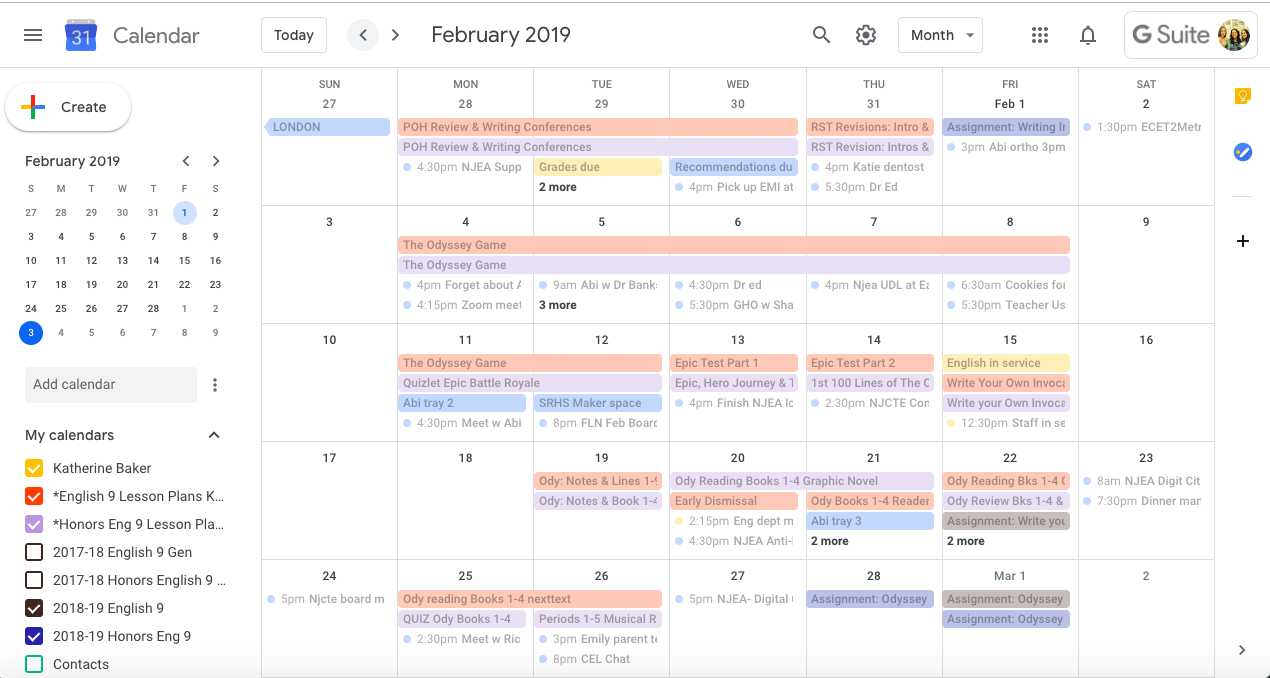
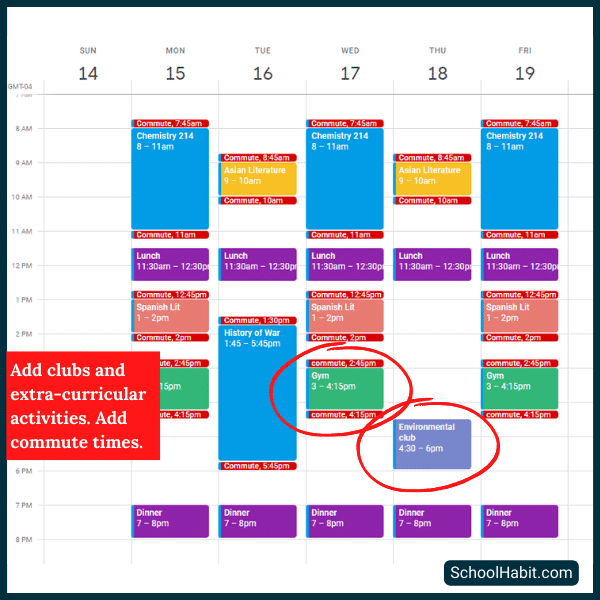
All your classes. Homework. Labs. Deadlines. Group Zooms. You can throw them all into one place , color-coded, drag-and-drop, shareable. For me, that was Google Calendar. I gave each course its own color. Tests were red. Social stuff? Bright blue. With just a glance, I knew what kind of day I was stepping into.
Task and Time Management
Here’s a mistake I made: blocking “study time” without saying what I’d study. Don’t do that. With calendar apps, you can get super specific. “Psych notes, Chapter 3” from 7-8pm. “Physics problem set” from 4-6pm. When my calendar told me what to focus on, I wasted way less time deciding what to do.
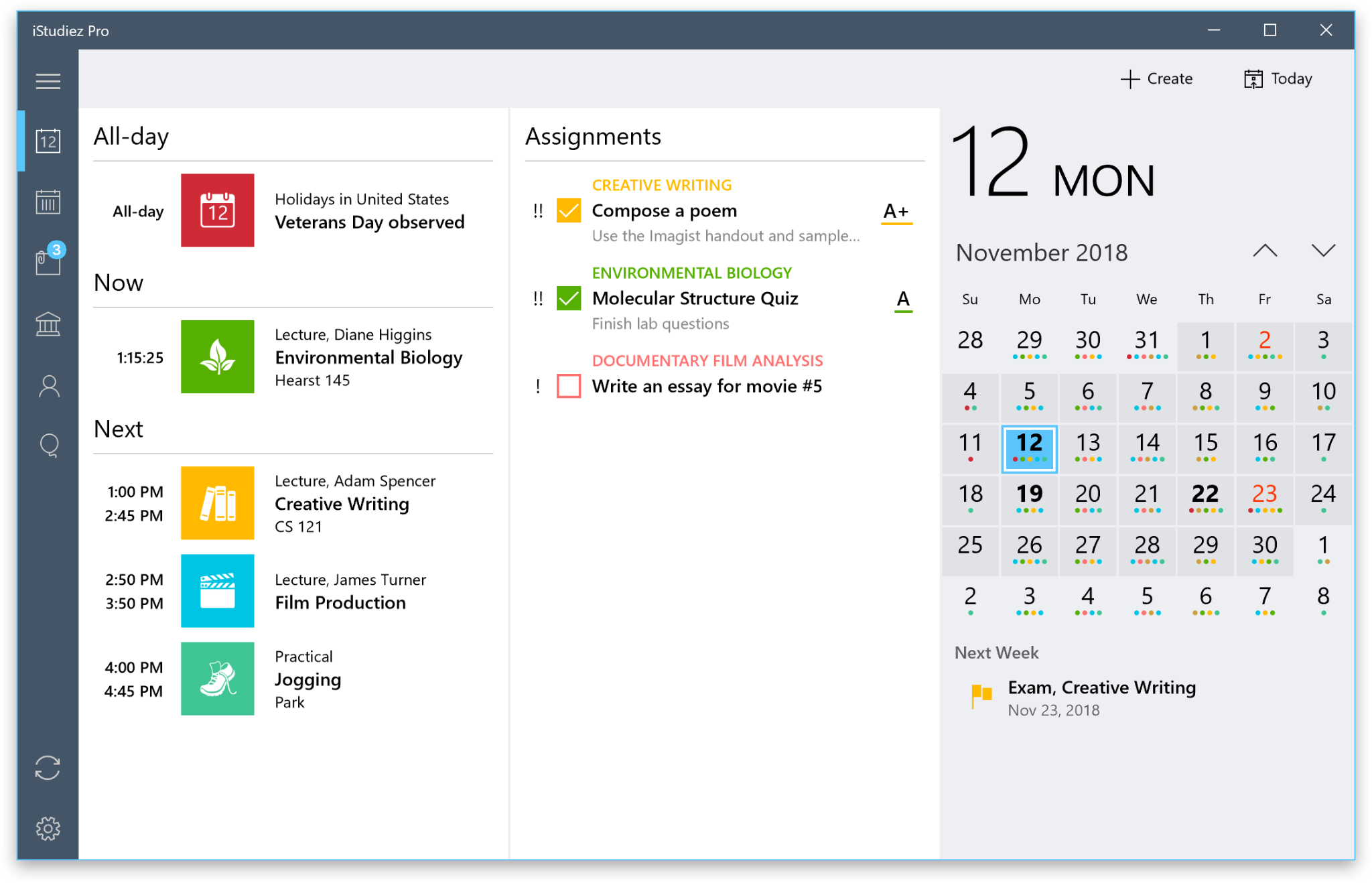
Most apps let you set reminders, add checklists, and even repeat weekly sessions , perfect for things like review hours before Friday quizzes. TickTick and Structured are great if you love both planning and to-do lists in one view.
Don’t just write “study” on your schedule. Be specific. Break your day into focused blocks,a method that aligns well with Pomodoro-style planning and other productivity techniques proven to help students focus.
Visual Progress Tracking
This one changed the game for me. Apps like Notion let you see workload peaks and empty spots. Think heatmaps. I could see when midterms were stacking up and move things around to breathe a bit. That kind of clarity? You can’t get that from a paper planner.
Top Calendar Apps for Students
I’ve tested them all. I’m that person. Whether you’re all-in on Google or you’re building aesthetic Notion dashboards, here’s how the top tools stack up.
| App | Best For | Highlights | Weakness |
|---|---|---|---|
| Google Calendar | Cross-device sync and simplicity | Color tags, auto Gmail sync, reminders | Limited built-in task management |
| Notion Calendar | Custom views and academic project links | Integrates with notes and databases | Learning curve is real |
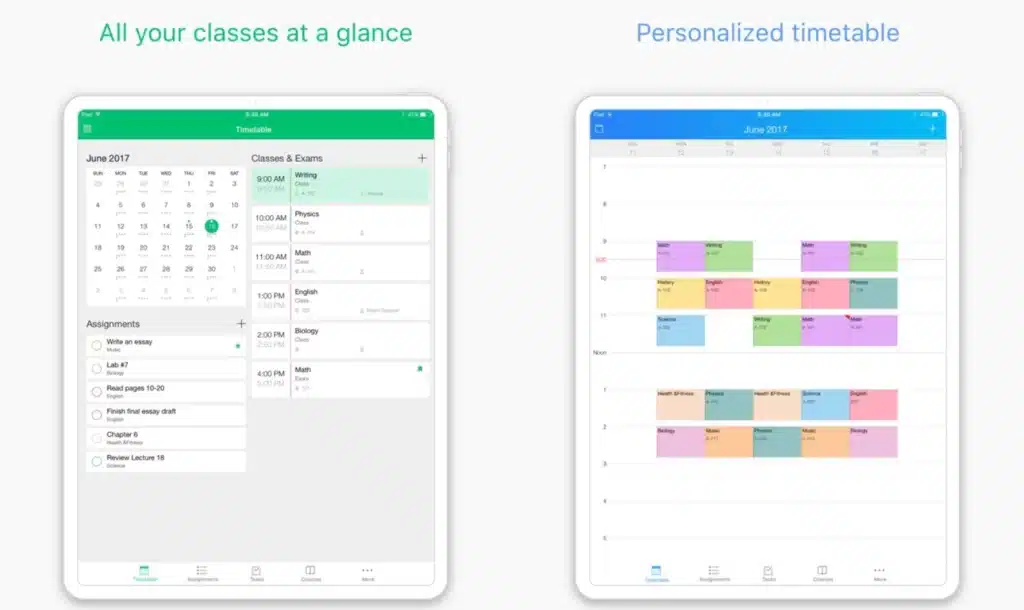
| My Study Life | Tailored for students | Rotating schedules, exams, holidays | Basic interface |
| TimeTree | Group planning | Shared calendars, comments, chat | Not ideal for solo deep planning |
Not sure which to choose? Let your learning style guide your planning method. Visual learners might love Notion dashboards, while list-lovers will thrive in TickTick or Structured.
Choosing the Right App for Your Study Style
Everyone studies differently. Some love visuals. Some need timers. Others want collaboration. Picking the right tool is less about features and more about how your brain works.
Solo vs Group Planning
Are you the lone wolf or the group project MVP? If you fly solo, Structured or My Study Life keep things tight. But if you’re always coordinating with others, TimeTree is your friend. I once used it for a group thesis , we shared reading deadlines, synced Zoom sessions, and even tracked who was writing which chapter.
Cross-Platform and Device Compatibility
Don’t get stuck with an app that only lives on your laptop. The best calendar tools follow you , on your phone, tablet, laptop, whatever. Google Calendar does this beautifully. So does TickTick. I can’t count how many times I double-checked a deadline while standing in line at the bookstore.
Some tools like Notion need Wi-Fi and feel clunky on mobile. If you’re moving between campus, home, and commute, flexibility matters.
Pro Tips for Maximizing Your Academic Calendar
I’ve picked up a few tricks over the years that made my calendar not just a tool,but a total upgrade to my brain. Here’s how I use mine smarter, not harder.
Plan Backwards from Due Dates
This one’s big. Don’t just mark your assignment’s due date,work backwards. For a paper due Friday, I’ll block time for research Monday, outline Tuesday, write Wednesday, and edit Thursday. That way, when Friday hits, I’m done. No stress. No scramble.
Set Recurring Events and Habits
Got weekly readings? Lab reports? Office hours? Add them once and set them to repeat. Your future self will thank you. I even set Sunday evenings for “Weekly Reset” , that’s when I check what’s coming and make sure everything’s ready to go.
Color-Code with Purpose
Don’t pick random colors just ’cause they’re pretty. Assign real meaning. Mine looks like this:
- Red = Exams or deadlines
- Blue = Classes
- Green = Study time
- Orange = Social/personal
With a glance, I know if my week is heavy or breezy. And that’s priceless.
Pairing calendar apps with good physical or digital study environments also plays a huge role in whether your plan actually sticks. A calm, distraction-free setup reinforces your focus blocks.
FAQ
What is the best calendar app for high school students?
My Study Life is perfect for high schoolers. It’s built with students in mind,supports rotating schedules, tracks assignments, and works across devices. If you’re looking for something super simple and not tied to Gmail or productivity suites, this is a great starting point.
Can calendar apps help reduce study stress?
Yes. Big yes. Having your plan visible and editable removes decision fatigue. You’re not wasting time figuring out what’s next. You’re doing it. I used to lose hours just trying to organize tasks. Now? I look at my screen and get going. It’s like decluttering your brain.
How do I use Google Calendar to plan my semester?
I start by plugging in all known dates: classes, exams, assignment deadlines. Then I add weekly recurring events: study time, group check-ins, personal commitments. From there, I layer in “working time” , when I’ll do the actual prep. Google Calendar makes it super easy to drag and shift blocks if things change (and they always do).
Recap of Key Points
Let’s rewind. Academic planning isn’t just for straight-A students. It’s for anyone who wants less stress and more time. Calendar apps like Google Calendar, Notion, My Study Life, and TimeTree give you control, clarity, and flexibility,all wrapped in a few taps and swipes.
I don’t just recommend these tools. I use them. Every week. Every semester. They’ve saved my GPA, helped me collaborate, and given me more peace than any paper planner ever did. Find the one that fits you, tweak it to match your brain, and run with it.
You’ve got big goals. Whether it’s acing finals, landing that internship, or just surviving midterms without pulling all-nighters,your time matters. Don’t leave it up to memory. Let your calendar do the heavy lifting, so you can do the actual learning.
Go try one. Just one. This week. See what happens.