
How to Plan Around Your Class Schedule Like a Pro

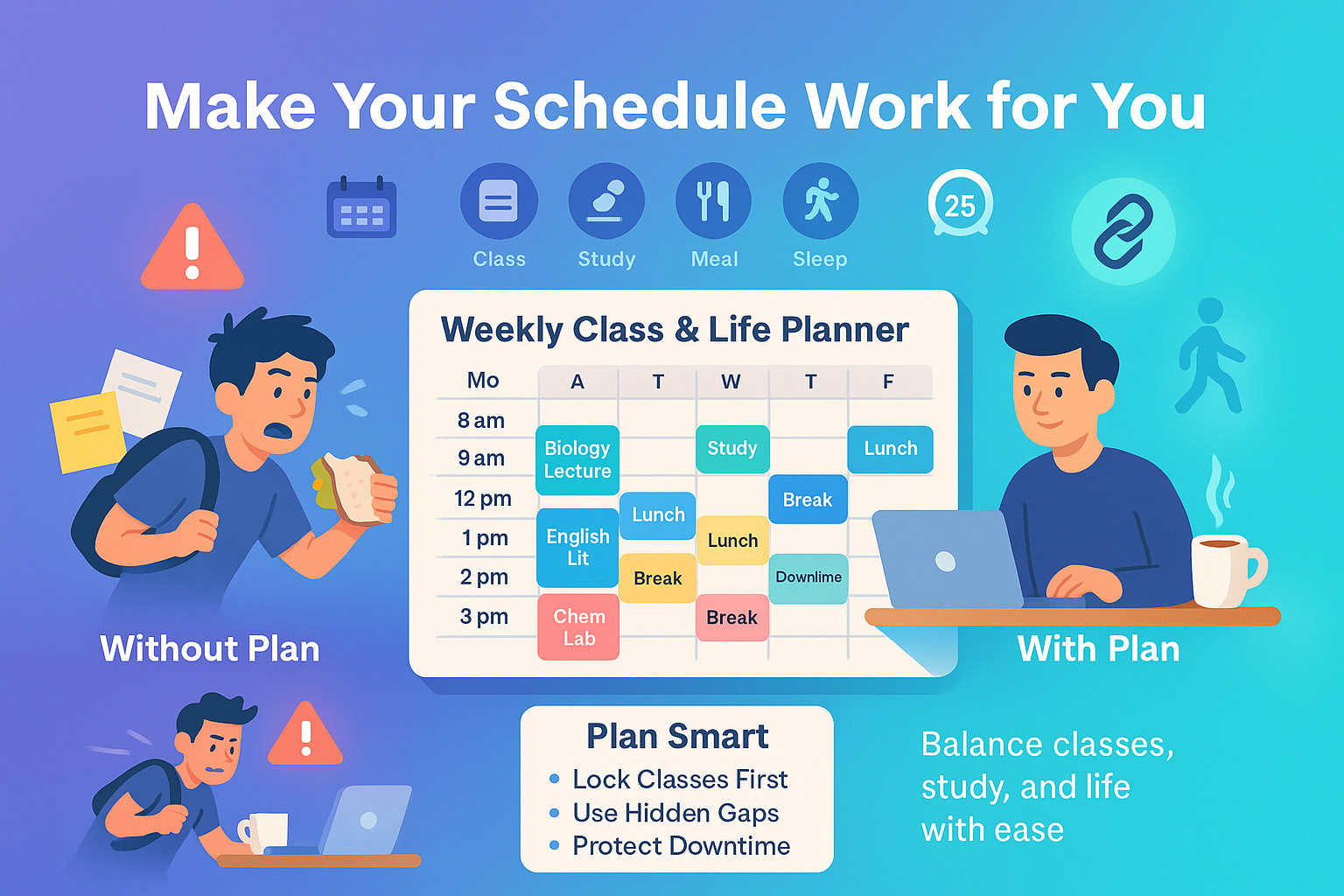
I used to be that student. You know, the one running into class five minutes late, half a sandwich in hand, and no idea what came next after econ. My calendar? Chaos. My stress levels? High. But once I finally sat down and made a real plan not just scribbles in the margins of my notebook everything changed.
Trying to juggle classes, study blocks, and your own sanity isn’t easy. Trust me, I’ve lived through 8 a.m. lectures followed by 6 p.m. labs, with nothing but vending machine pretzels in between. The biggest mistake? Thinking you’ll “just remember” your schedule or wing it between classes.
Here’s how I stopped winging it and started winning at my time:
- Mapped out every single fixed class time
- Spotted hidden time blocks I was wasting
- Added breaks, meals, and real study sessions
- Built a weekly layout that worked with my life, not against it
This article will walk you through exactly how to build your own schedule that doesn’t just look good it actually works. Whether you’re balancing online classes, labs, or just trying not to cry on a Tuesday this is for you.
And the best part? It’s flexible, real, and built from the mistakes I already made so you don’t have to.
If this sounds familiar, pairing a schedule plan with smart time management for students strategies will make a huge difference.
Understand Your Weekly Class Commitments
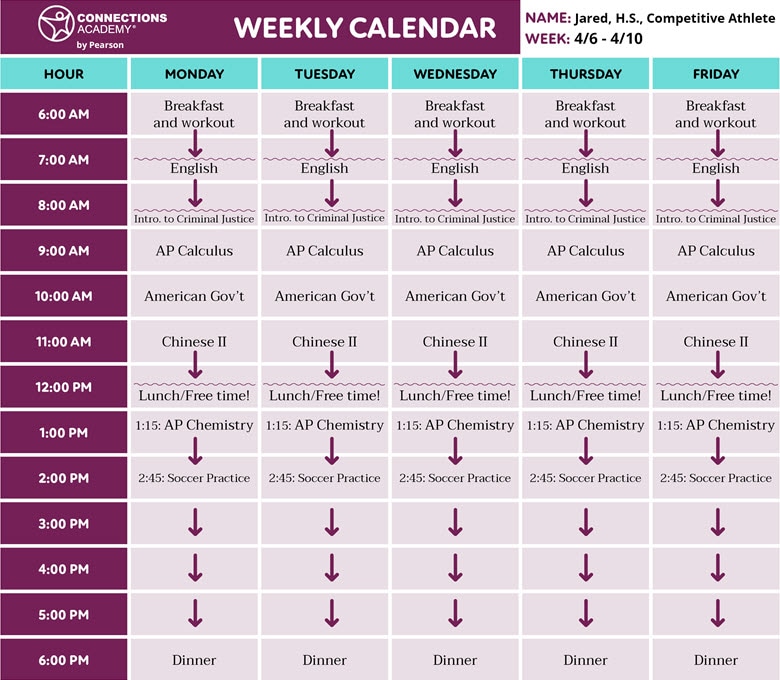
When I finally printed out my course times and stuck them on the wall, it all clicked. Until then, I’d been keeping my entire schedule in my head, which meant forgetting rooms, double-booking hangouts, and missing quiz review sessions. Sound familiar?
Know Your Class Times Clearly
You need to know exactly when and where your classes are not “kinda remember.” I opened up Google Calendar, plugged in every single lecture, lab, and discussion, and color-coded them by subject. I used red for science, blue for electives, and so on. It looked like chaos, but it worked.
Use Color-Coded Calendars
Honestly? Color-coding gave me peace of mind. It helped me see, at a glance, how packed each day was. I could tell immediately when I had back-to-backs or time to breathe. I even used emojis for bio, for literature. It made planning feel less like work.
Identify Fixed vs Flexible Time Blocks
This right here? Game changer. I used to think I had no time. Turns out, I had hours just not where I thought they were.
Your fixed commitments are your anchors. The in-between times are your hidden gold. Use them for review sessions, quick reading, or short breaks. To get the most out of those small pockets, try student productivity techniques like the Pomodoro method.
Fixed Commitments
Your classes are non-negotiable. Lock them in first. This includes recurring lectures, labs, and anything with an attendance policy. I also included club meetings I couldn’t skip, like debate team and advisor check-ins.
Flexible Blocks
The in-betweens are your gold. I used to waste them scrolling TikTok or wandering campus. Now, those 45 minutes between classes? That’s prime time for a quick chapter read, a walk, or even a micro-nap if you’re at home. Treat them like mini-sessions with a purpose.
Build Your Weekly Plan
It’s not enough to just know your schedule you have to build your life around it.
Start by dropping in all classes and essential commitments first. Then add meals, workouts, and sleep. I found that having a well-set study environment a go-to space ready for focus made those scheduled study blocks actually happen.
Don’t forget downtime. Protect it like you would a lecture.
Start With Class Times
I dropped my classes in first like anchors. From there, I added blocks around them. Two-hour lecture Monday morning? I put a 30-minute buffer afterward for food and chill. Then I added my commute because yes, walking across campus in summer heat deserves its own time block.
Add Study, Meals, and Sleep
I used to pull all-nighters. Regret. Don’t be me. I began scheduling study time during my alert hours mid-morning and late afternoon. I added dinner at 6 p.m. daily and blocked 11 p.m. to 7 a.m. for sleep. Once I did that, everything started falling into place.
Don’t Forget Downtime and Breaks
I learned this the hard way. Burnout is real. You’ve gotta add actual downtime into your week. I built in 15-minute breathing spaces after every long session and Sunday afternoons off. I don’t touch work Sunday after 3 p.m. my “no guilt zone.” You need that buffer. We all do.
Use Tools to Stay On Track
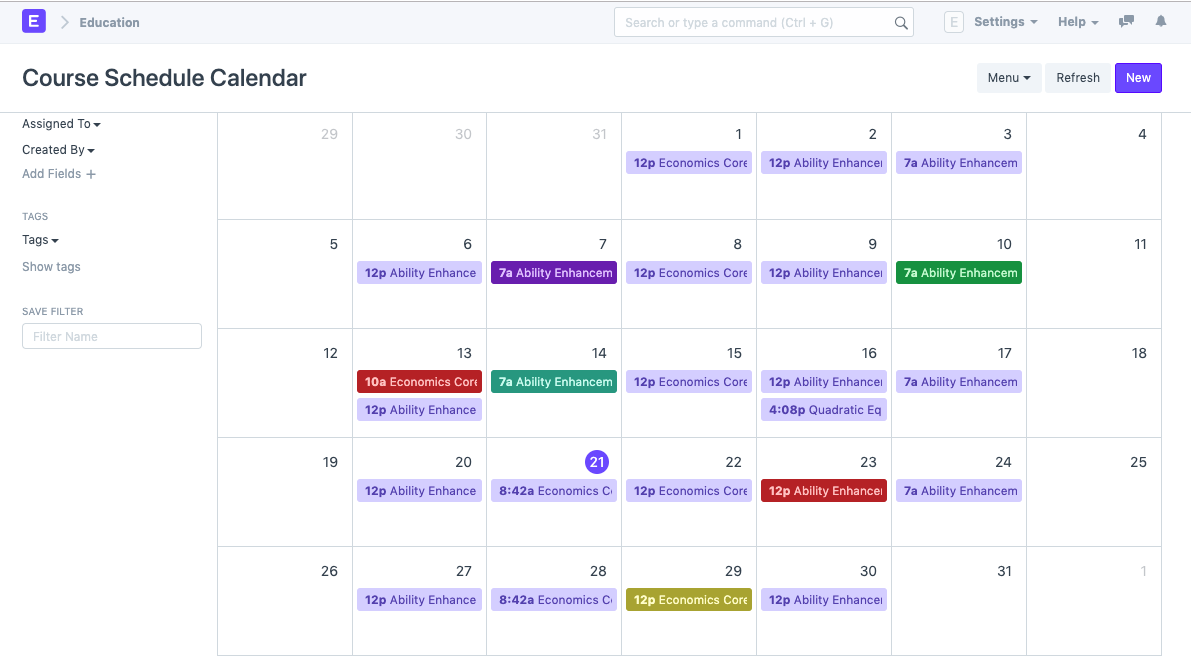
You can’t keep all this in your head. Use Google Calendar, Notion, or a simple planner. Set timed reminders for class, study breaks, and even “stop scrolling” moments. If you’re a visual learner, combine your planner with effective note-taking techniques so your schedule works hand-in-hand with how you study.
Digital Planners and Apps
I swear by Google Calendar. Notion’s great too especially with their student templates. I had one for meal planning, one for class projects, and one for deadlines. Find what works for you. Don’t get stuck customizing instead of using it.
Set Timed Reminders
Before every class, I had a 10-minute phone reminder. Even if I was in the middle of something, it helped me wrap up and shift gears. I even set alerts for “stop scrolling” and “review flashcards.” It’s weirdly effective when your phone reminds you to not be on your phone.
Revisit and Adjust Weekly
No plan is perfect mine sure wasn’t. I made it a habit to review my weekly schedule every Sunday night. What worked? What felt crammed? I’d tweak things: move a study block, cancel a club meeting, or shift a workout. That flexibility kept me sane.
Bonus Tips for Better Time Management
Once the basics are down, refine your week with prioritization, habit stacking, and realistic buffers. Remember, it’s about sustainable progress, not filling every second. Want your schedule to really stick? Pair it with memory and retention strategies so your study time actually pays off.
Prioritize Urgent and Important Tasks
I discovered something called the Eisenhower Matrix (sounds fancy, but it’s simple). It helped me spot the stuff I had to do now versus what could wait. I stopped jumping from task to task and finally started finishing what mattered.
Account for Commute Time
If you’ve ever misjudged the walk from history to chem lab, you know the pain. I built in travel time on my calendar, even if it was just 5 minutes across campus. It helped me show up calm not sweating and out of breath.
Build Habits Around Your Schedule
This was the real unlock. I started stacking habits around my classes. Finish math? Do 10 flashcards. After lunch? Review my planner. Tying small actions to regular routines made them stick without even trying. You’re already showing up now make it count.
Sample Weekly Schedule Table
| Time | Monday | Tuesday | Wednesday | Thursday | Friday |
|---|---|---|---|---|---|
| 8:00 – 9:00 | Biology Lecture | Study Time | Biology Lecture | Study Time | Biology Lecture |
| 10:00 – 11:00 | English Lit | English Lit | Study Group | English Lit | Review Notes |
| 12:00 – 1:00 | Lunch + Break | Lunch | Lunch + Walk | Lunch | Lunch + Break |
| 2:00 – 3:00 | Chem Lab | Free Block | Chem Lab | Library Research | Chem Lab |
How One Student Turned It Around
I spoke to Alex, a second-year engineering student who used to constantly fall behind. “I was pulling all-nighters every week,” he told me. Then he started color-coding his calendar, just like I did. He blocked out lab prep, added 20-minute post-class reflections, and prioritized downtime. Within weeks, his grades and sleep both improved. Alex called it his “second brain.” And yeah, it made a huge difference.
Answers to Common Questions
How do I plan my day around classes?
Start with your fixed classes drop those into a calendar first. Then look for natural gaps where you can add studying, meals, or rest. Use digital tools like Notion or Google Calendar, and make time for breaks to stay sharp.
What’s the best app for planning class schedules?
Google Calendar is my go-to for flexibility and syncing across devices. Notion is excellent if you like all-in-one dashboards. Others love myStudyLife or Class Timetable for simple interfaces. Pick what you’ll actually use.
How can I use breaks between classes effectively?
Short breaks are great for flashcard review, journaling, or walking. I used mine to reset sometimes stretching, sometimes snacking. If it’s more than 30 minutes, plan something intentional. Don’t just scroll endlessly. That mental space? Gold.
Final Take
Planning around your class schedule doesn’t mean packing every minute. It means knowing your time so well that you can choose how to use it. That’s the power shift.
When I made my schedule work for me, I stopped feeling like I was always playing catch-up. Instead, I was showing up focused, calm, even ahead. If you’re feeling lost or overwhelmed, start small. One schedule tweak at a time.
Your time is already there. You just have to claim it.