
Mastering Time Management for Online Learning Success

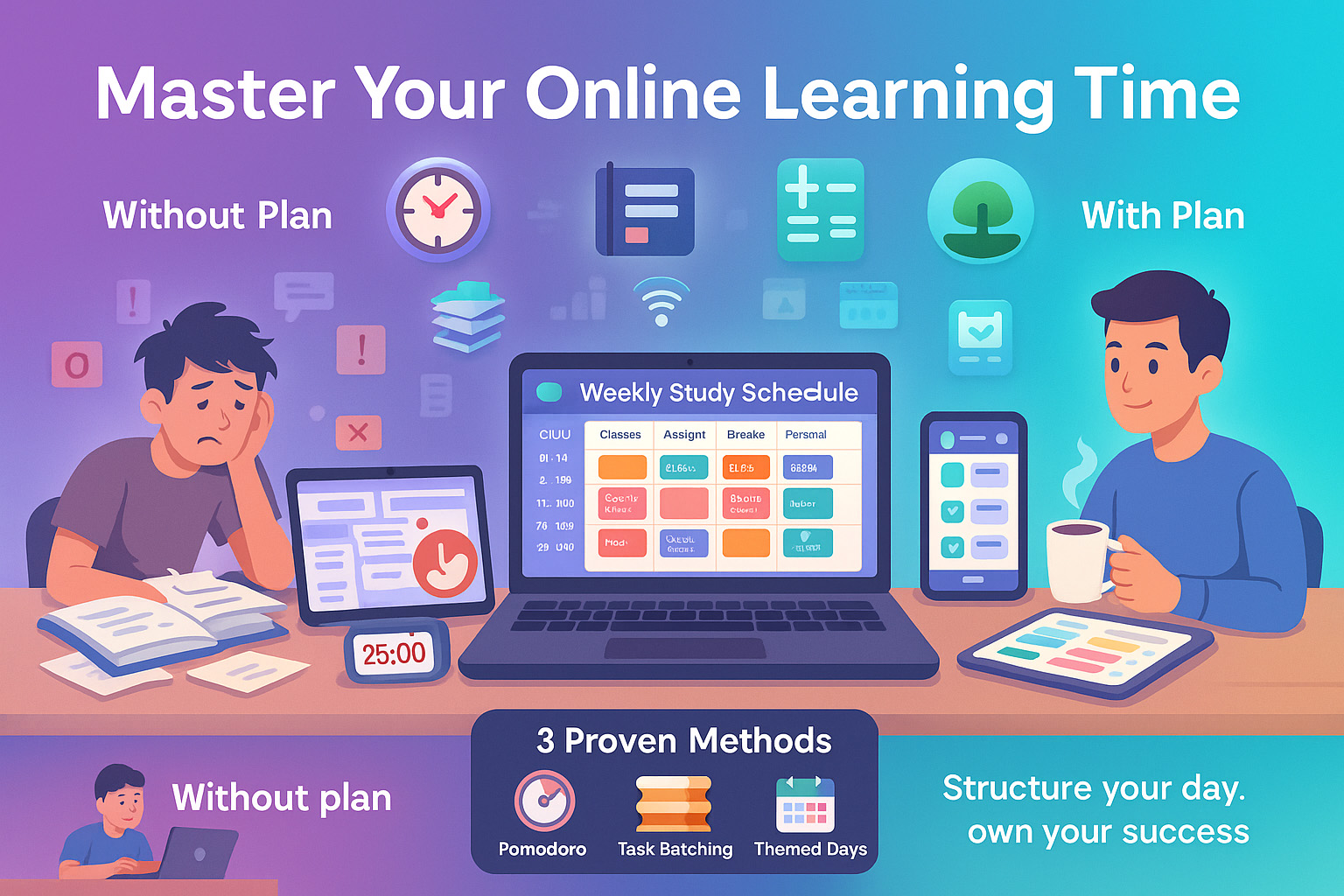
When I first jumped into online classes, I thought I had all the time in the world. No commute. No sitting through lectures. Just me, my laptop, and my pajamas. But I was wrong. It didn’t take long before I missed a quiz, then a deadline, then felt buried in a pile of tabs and to-do lists.
I know I’m not alone. Most online students struggle with the same thing time just slips. With no one watching over your shoulder, it’s easy to fall behind. That mix of freedom and responsibility? It can be rough if you’re not prepared.
But here’s what helped me turn it around: I stopped winging it and built a real schedule. I learned to break big tasks into tiny ones. I used free tools. I found my rhythm and stuck to it. And yeah, I still messed up now and then. But it got better fast.
- Why time management makes or breaks your online learning experience
- How to build a strategy that actually fits your life
- My favorite techniques (like the Pomodoro and batching)
- Tools that keep your day from spinning out of control
- How to make all this work even when you’ve got a job or a toddler (been there)
If you’ve struggled to stay on track, check out Time Management for Students for a bigger-picture guide before diving in here.
Why Time Management Matters for Online Students
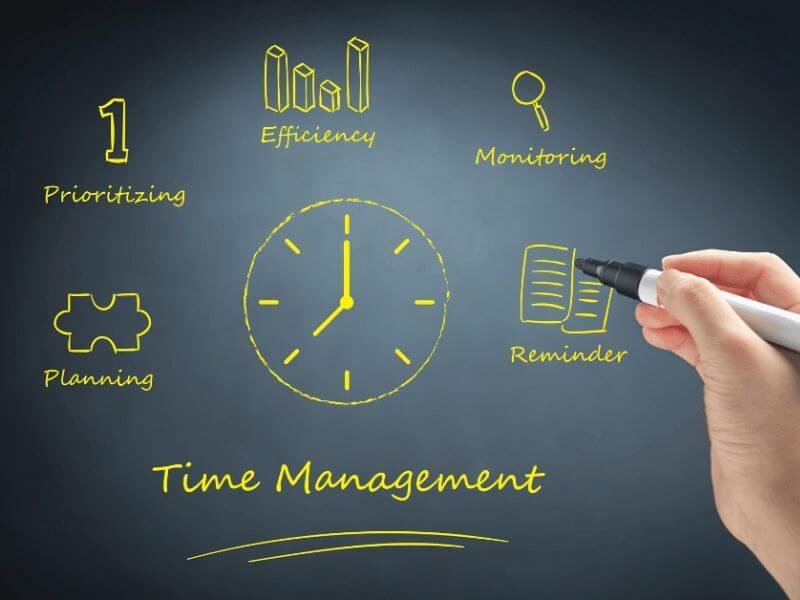
There’s no syllabus fairy that makes sure you show up to class on time. Online school gives you the freedom to learn anywhere, anytime but that freedom can backfire fast if you don’t have a plan.
Once I got organized, I started finishing work early, felt calmer, and even made room for breaks without guilt. That’s the power of structure. For more ideas on keeping your energy high, read about student productivity techniques that complement your schedule.
Key Impacts of Poor Time Management
I learned this the hard way. I thought I’d remember every due date in my head. I didn’t. I pulled an all-nighter for a final paper… and still turned it in 20 minutes late. Not only did I get a lower grade, but I also couldn’t think straight the rest of the week. The stress piles up. You start missing more things. You stop trusting yourself.
That’s what poor time use does. It snowballs. One missed assignment turns into a cycle of cramming, rushing, and burnout.
Benefits of Good Time Management
Once I got organized, things changed. I started turning things in early. I had time to ask my professor questions. I felt calmer. I actually had time for breaks and didn’t feel guilty for taking them. Managing my time wasn’t just about school it helped my whole life feel more in sync.
When you’re managing your time well, you’re less stressed, more productive, and way more confident. You trust yourself to get things done. And you make space for the stuff that matters friends, family, rest, hobbies.
Creating a Time Management Strategy

Your time strategy doesn’t have to look like anyone else’s. But it does have to be intentional. For me, it started with laying everything out assignments, classes, work shifts, meals, gym time. Then I broke it down day by day.
I like mapping deadlines monthly, breaking them into weekly goals, and deciding my top 3 tasks daily. A solid schedule works even better when paired with an optimized study environment that keeps distractions low.
Planning Your Month, Week, and Day
At the beginning of each month, I open my class portal and write down every deadline in Google Calendar. I use color codes red for exams, blue for group projects, green for readings. Then I break it into weekly goals every Sunday. Each morning, I pick my top 3 things. Keeps my brain from spinning.
I use this kind of visual planning to keep things clear. It doesn’t have to be digital. You could use a paper planner, sticky notes, or even a whiteboard. What matters is that it gets out of your head and onto something you’ll see every day.
Using Time Management Tools
There are so many free tools out there. I rotate between a few favorites:
| Tool | Use | Why I Like It |
|---|---|---|
| Google Calendar | Scheduling & Reminders | It’s everywhere laptop, phone, synced with email |
| Trello / Notion | Task tracking | Drag-and-drop makes it feel less overwhelming |
| Focus Keeper | Pomodoro timer | Keeps me from spiraling into TikTok breaks |
Pick the ones you’ll actually use. If you love paper planners, use those. If you’re on your phone 24/7, find a mobile app that nudges you.
Setting Clear Priorities and Goals
I used to spend hours doing “easy” tasks so I could feel productive until I realized I was avoiding the real work. That’s where goal-setting helped. I started using the Eisenhower Matrix sorting tasks by urgent vs. important. It showed me what actually mattered today vs. what could wait.
Long-term goals? I like setting monthly themes. One month I focused on “submit everything 24 hours early.” Another month was “no schoolwork past 8pm.” That kind of personal theme kept me focused without overwhelming me.
Proven Time Management Techniques for Online Learners
There are lots of hacks out there. But these three changed the game for me.
The Pomodoro Technique Explained
Set a timer for 25 minutes. Work hard. Then take a 5-minute break. After four rounds, take a longer 15–30-minute break. Sounds simple, right? But it works because it forces your brain to focus without dreading a long study session.
I use Focus Keeper on my phone and Pomofocus on my laptop. And when I’m really distracted, I pair it with Forest an app where a digital tree dies if you touch your phone. Harsh. But helpful.
Three things changed the game for me:
- Pomodoro Technique – short sprints + breaks
- Task batching – grouping similar work
- Themed days – reducing decision fatigue
These work even better if you combine them with smarter note-taking methods so your study time produces usable, well-organized material.
Task Batching and Themed Days
Multitasking was killing my focus. So I started batching tasks. Monday mornings: emails and discussion boards. Wednesday afternoons: writing papers. Friday: reviewing lectures. Doing similar tasks together saves me a ton of mental switching time.
And themed days? They reduce decision fatigue. I don’t have to wonder “what should I do today?” I just follow the theme. Less thinking, more doing.
Following a Consistent Routine
My routine saved me from burnout. I wake up at 7, stretch, then do a 90-minute study block with breakfast. I split study time into AM and PM blocks with a walk in between. And most nights, I shut the laptop by 9. Routine sounds boring, but it gave me freedom. My brain stopped arguing about when to work and just did the work.
Adapting Time Management to Your Life
Let’s be real no two students have the same life. You might be raising kids, holding a full-time job, or living with roommates who don’t understand quiet hours. Your time management plan should work with your life, not against it.
Not every online student has the same schedule or responsibilities. Parents, full-time workers, and part-time students all need different approaches. Sometimes that means being flexible, breaking work into smaller sessions, or even studying on the go. If you need to make sure what you learn actually sticks, try proven memory retention techniques alongside your time plan.
Personalizing Your Schedule
When I was freelancing during my courses, I had to build my schedule around client meetings. I started using time blocks mornings for deep work, afternoons for group projects, evenings for lighter tasks. It wasn’t perfect, but it felt doable. I even built in 2-hour buffers between work and study to reset.
Try time tracking for a week. Just write down what you’re doing every hour. You’ll see where time leaks happen Instagram scrolls, anyone? Once you spot the gaps, you can plug them in smart ways. That’s when things click.
Managing Distractions and Screen Fatigue
Zoom burnout is real. I used to leave lectures feeling more drained than after a shift at my old retail job. What helped? Breaks without screens. I’d go outside, sketch, or even just stare at the ceiling. Your brain needs offline time to reset.
For phone distractions, I set app timers and keep my phone in another room. I also use the Forest app (yes, the one that kills your virtual tree if you pick up your phone). Sounds silly, but it works. For study breaks, I set alarms so I wouldn’t “accidentally” scroll for 45 minutes.
Creative and Flexible Study Approaches
Don’t be afraid to mix it up. I started using audiobooks while doing chores. I’d review notes during lunch or play flashcards during workouts. When my niece was over and I had to babysit, I turned review sessions into games and taught her what I was learning. If you’ve got a busy life, bend your methods. Flexibility is power.
FAQs
What is the best time management tool for online students?
There’s no one-size-fits-all answer. I swear by Google Calendar for deadlines, Notion for organizing class content, and Focus Keeper for Pomodoro sessions. If you like physical tools, go for a paper planner or whiteboard. The best tool is the one you’ll actually use daily.
How can I avoid procrastinating when learning online?
Break big tasks into micro-tasks. Set a Pomodoro timer for 25 minutes and just start. I also recommend task batching group similar work together. Avoid switching between totally different types of tasks (like math to writing). And if you’re stuck, try changing your environment or time of day. Movement helps too. Walk around between sessions. Shake off the slump.
What daily routine works best for studying from home?
Here’s what worked for me: Wake up around the same time daily. Study after breakfast, take a screen-free lunch, do a shorter afternoon session, then stop before dinner. Build a routine that includes breaks, movement, and no guilt downtime. Stick with it for two weeks and adjust based on your energy levels. Consistency builds momentum.
Recap of Key Points
Online learning offers flexibility, but without a strategy, it can become chaos. I’ve been there. You need to know your deadlines, build structure, and pick tools that match your habits. Start with small wins use a planner, try Pomodoro, batch your work. It’ll add up fast.
Final Takeaway
You don’t need to be perfect. You just need a rhythm. Time management isn’t about strict rules it’s about giving your brain peace and your future self some breathing room.
Closing Thought
If you’re still figuring this out, that’s okay. You’re not behind. You’re learning something schools rarely teach: how to own your time. And that skill? It’s worth more than any grade.